Deprecated: Using null as an array offset is deprecated, use an empty string instead in /srv/www/wordpress/wp-content/plugins/jet-engine/includes/components/blocks-views/dynamic-content/manager.php on line 113
Deprecated: Using null as an array offset is deprecated, use an empty string instead in /srv/www/wordpress/wp-content/plugins/jet-engine/includes/components/blocks-views/dynamic-content/manager.php on line 113
Deprecated: Using null as an array offset is deprecated, use an empty string instead in /srv/www/wordpress/wp-content/plugins/jet-engine/includes/components/blocks-views/dynamic-content/manager.php on line 113
Deprecated: Using null as an array offset is deprecated, use an empty string instead in /srv/www/wordpress/wp-content/plugins/jet-engine/includes/components/blocks-views/dynamic-content/manager.php on line 113
Deprecated: Using null as an array offset is deprecated, use an empty string instead in /srv/www/wordpress/wp-content/plugins/jet-engine/includes/components/blocks-views/dynamic-content/manager.php on line 113
Deprecated: Using null as an array offset is deprecated, use an empty string instead in /srv/www/wordpress/wp-content/plugins/jet-engine/includes/components/blocks-views/dynamic-content/manager.php on line 113
Deprecated: Using null as an array offset is deprecated, use an empty string instead in /srv/www/wordpress/wp-content/plugins/jet-engine/includes/components/blocks-views/dynamic-content/manager.php on line 113
Deprecated: Using null as an array offset is deprecated, use an empty string instead in /srv/www/wordpress/wp-content/plugins/jet-engine/includes/components/blocks-views/dynamic-content/manager.php on line 113
Deprecated: Using null as an array offset is deprecated, use an empty string instead in /srv/www/wordpress/wp-content/plugins/jet-engine/includes/components/blocks-views/dynamic-content/manager.php on line 113
Deprecated: Using null as an array offset is deprecated, use an empty string instead in /srv/www/wordpress/wp-content/plugins/jet-engine/includes/components/blocks-views/dynamic-content/manager.php on line 113
Deprecated: Using null as an array offset is deprecated, use an empty string instead in /srv/www/wordpress/wp-content/plugins/jet-engine/includes/components/blocks-views/dynamic-content/manager.php on line 113
Deprecated: Using null as an array offset is deprecated, use an empty string instead in /srv/www/wordpress/wp-content/plugins/jet-engine/includes/components/blocks-views/dynamic-content/manager.php on line 113
Deprecated: Using null as an array offset is deprecated, use an empty string instead in /srv/www/wordpress/wp-content/plugins/jet-engine/includes/components/blocks-views/dynamic-content/manager.php on line 113
Deprecated: Using null as an array offset is deprecated, use an empty string instead in /srv/www/wordpress/wp-content/plugins/jet-engine/includes/components/blocks-views/dynamic-content/manager.php on line 113
Deprecated: Using null as an array offset is deprecated, use an empty string instead in /srv/www/wordpress/wp-content/plugins/jet-engine/includes/components/blocks-views/dynamic-content/manager.php on line 113
Deprecated: Using null as an array offset is deprecated, use an empty string instead in /srv/www/wordpress/wp-content/plugins/jet-engine/includes/components/blocks-views/dynamic-content/manager.php on line 113
Deprecated: Using null as an array offset is deprecated, use an empty string instead in /srv/www/wordpress/wp-content/plugins/jet-engine/includes/components/blocks-views/dynamic-content/manager.php on line 113
Deprecated: Using null as an array offset is deprecated, use an empty string instead in /srv/www/wordpress/wp-content/plugins/jet-engine/includes/components/blocks-views/dynamic-content/manager.php on line 113
Deprecated: Using null as an array offset is deprecated, use an empty string instead in /srv/www/wordpress/wp-content/plugins/jet-engine/includes/components/blocks-views/dynamic-content/manager.php on line 113
Deprecated: Using null as an array offset is deprecated, use an empty string instead in /srv/www/wordpress/wp-content/plugins/jet-engine/includes/components/blocks-views/dynamic-content/manager.php on line 113
Deprecated: Using null as an array offset is deprecated, use an empty string instead in /srv/www/wordpress/wp-content/plugins/jet-engine/includes/components/blocks-views/dynamic-content/manager.php on line 113
Deprecated: Using null as an array offset is deprecated, use an empty string instead in /srv/www/wordpress/wp-content/plugins/jet-engine/includes/components/blocks-views/dynamic-content/manager.php on line 113
Deprecated: Using null as an array offset is deprecated, use an empty string instead in /srv/www/wordpress/wp-content/plugins/jet-engine/includes/components/blocks-views/dynamic-content/manager.php on line 113
Deprecated: Using null as an array offset is deprecated, use an empty string instead in /srv/www/wordpress/wp-content/plugins/jet-engine/includes/components/blocks-views/dynamic-content/manager.php on line 113
Deprecated: Using null as an array offset is deprecated, use an empty string instead in /srv/www/wordpress/wp-content/plugins/jet-engine/includes/components/blocks-views/dynamic-content/manager.php on line 113
Deprecated: Using null as an array offset is deprecated, use an empty string instead in /srv/www/wordpress/wp-content/plugins/jet-engine/includes/components/blocks-views/dynamic-content/manager.php on line 113
Deprecated: Using null as an array offset is deprecated, use an empty string instead in /srv/www/wordpress/wp-content/plugins/jet-engine/includes/components/blocks-views/dynamic-content/manager.php on line 113
Deprecated: Using null as an array offset is deprecated, use an empty string instead in /srv/www/wordpress/wp-content/plugins/jet-engine/includes/components/blocks-views/dynamic-content/manager.php on line 113
Deprecated: Using null as an array offset is deprecated, use an empty string instead in /srv/www/wordpress/wp-content/plugins/jet-engine/includes/components/blocks-views/dynamic-content/manager.php on line 113
Deprecated: Using null as an array offset is deprecated, use an empty string instead in /srv/www/wordpress/wp-content/plugins/jet-engine/includes/components/blocks-views/dynamic-content/manager.php on line 113
Deprecated: Using null as an array offset is deprecated, use an empty string instead in /srv/www/wordpress/wp-content/plugins/jet-engine/includes/components/blocks-views/dynamic-content/manager.php on line 113
Deprecated: Using null as an array offset is deprecated, use an empty string instead in /srv/www/wordpress/wp-content/plugins/jet-engine/includes/components/blocks-views/dynamic-content/manager.php on line 113
Deprecated: Using null as an array offset is deprecated, use an empty string instead in /srv/www/wordpress/wp-content/plugins/jet-engine/includes/components/blocks-views/dynamic-content/manager.php on line 113
Introduction
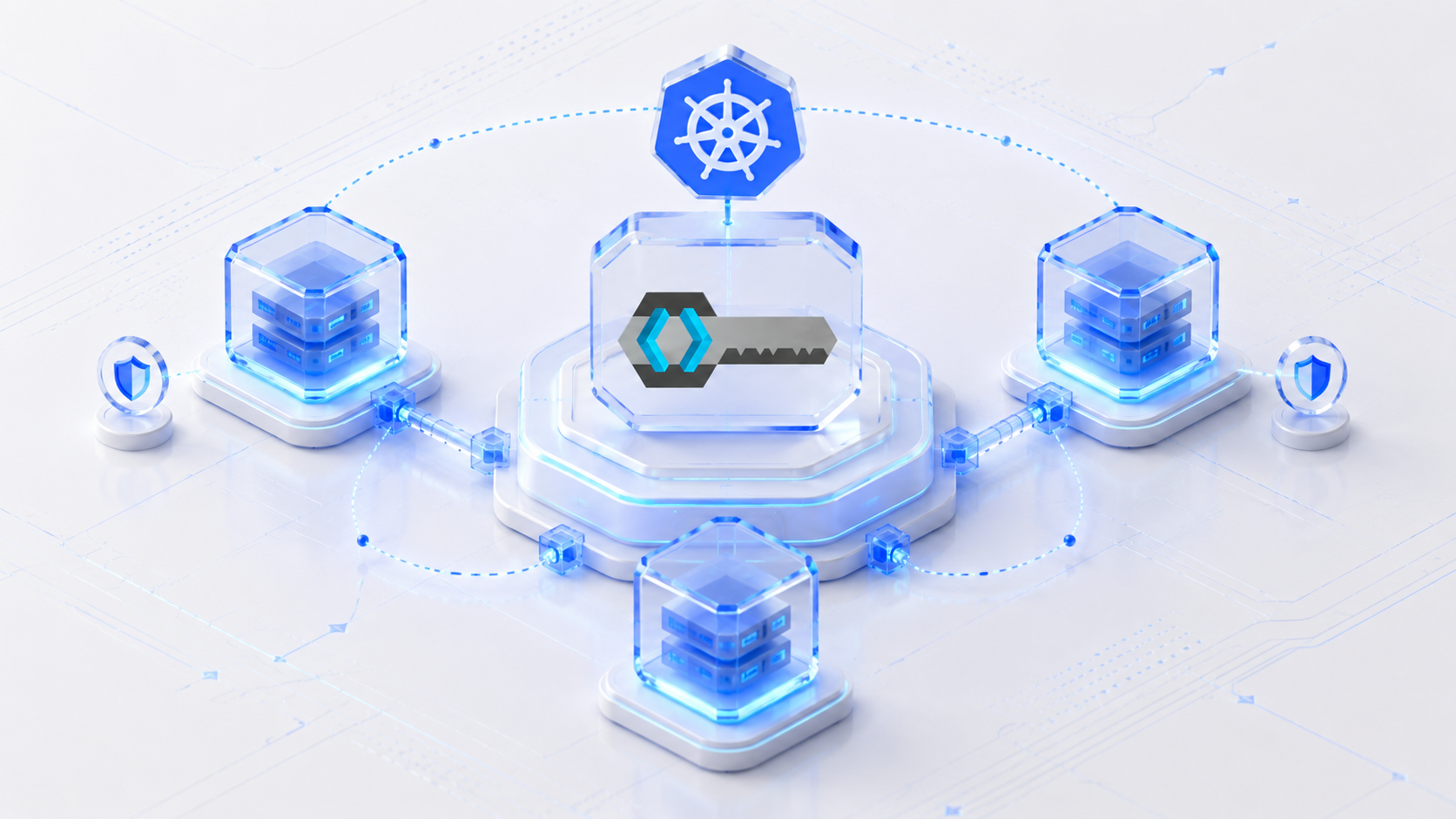
Keycloak is an open-source identity and access management solution that provides single sign-on (SSO), identity brokering, and user federation. When deploying Keycloak in a Kubernetes environment, it is crucial to ensure that the data stored in both Keycloak and its backing PostgreSQL database remains persistent even if the pods are restarted or deleted. This blog will guide you through setting up Keycloak with a PostgreSQL database on Kubernetes, with a focus on maintaining data persistence.
Prerequisites:
Before you begin, ensure you have the following:
- Kubernetes Cluster: A running Kubernetes cluster where you have administrative access.
- Helm: A package manager for Kubernetes, which will be used to install the External Secret Operator.
Step 1: Create Secrets to use in Keycloak, Postgres and Ingress
Create multiple Secrets to securely store passwords and certificates required for database access, Keycloak admin console, and TLS certificates for Ingress.
apiVersion: v1
kind: Secret
metadata:
  name: postgres-secrets
  namespace: keycloak
type: Opaque
stringData:
  POSTGRES_USER: postgres
  POSTGRES_PASSWORD: postgres
  POSTGRES_DB: keycloak
---
apiVersion: v1
kind: Secret
metadata:
  name: keycloak-secrets
  namespace: keycloak
type: Opaque
stringData:
  KEYCLOAK_ADMIN: admin
  KEYCLOAK_ADMIN_PASSWORD: admin
---
apiVersion: v1
kind: Secret
metadata:
  name: keycloak-tls
type: kubernetes.io/tls
data:
  tls.crt: <REPLACE-WITH-CERTIFICATE>
  tls.key: <REPLACE-WITH-CERTIFICATE-KEY>
kubectl apply -f secrets.yaml
Step 2: Deploy PostgreSQL with Persistent Storage
- First, deploy a PostgreSQL instance with persistent storage using a Kubernetes Persistent Volume Claim (PVC). The PVC ensures that the data stored in PostgreSQL remains intact even if the PostgreSQL pod is deleted or restarted.
Create a Persistent Volume and Persistent Volume Claim for PostgreSQL:
kind: PersistentVolume
apiVersion: v1
metadata:
  name: postgres-pv
  namespace: keycloak
  labels:
    type: local
    app: postgres
spec:
  storageClassName: "standard"
  capacity:
    storage: 1Gi
  accessModes:
    - ReadWriteMany
  persistentVolumeReclaimPolicy: Retain
  hostPath:
    path: "/opt/postgres"
---
apiVersion: v1
kind: PersistentVolumeClaim
metadata:
  name: postgres-pvc
  namespace: keycloak
  labels:
    app: postgres
spec:
  storageClassName: "standard"
  accessModes:
    - ReadWriteMany
  resources:
    requests:
      storage: 1Gi
kubectl apply -f storage.yamlCreate a Deployment and Service for PostgreSQL, ensuring it uses the PVC for data storage.
apiVersion: v1
kind: Service
metadata:
  name: postgres
  namespace: keycloak
  labels:
    app: postgres
spec:
  ports:
  - port: 5432
    name: postgres
  selector:
    app: postgres
  type: ClusterIP
---
apiVersion: apps/v1
kind: Deployment
metadata:
  name: postgres
  namespace: keycloak
spec:
  selector:
    matchLabels:
      app: postgres
  strategy:
    type: Recreate
  template:
    metadata:
      labels:
        app: postgres
    spec:
      containers:
      - image: postgres:latest
        name: postgres
        envFrom:
          - secretRef:
              name: postgres-secrets
        ports:
        - containerPort: 5432
          name: postgres
        securityContext:
          privileged: false
        volumeMounts:
        - name: postgres-storage
          mountPath: /var/lib/postgresql/data
        resources:
            limits:
              memory: 512Mi
              cpu: "1"
            requests:
              memory: 256Mi
              cpu: "0.2"
      volumes:
      - name: postgres-storage
        persistentVolumeClaim:
          claimName: postgres-pvc
kubectl apply -f postgres.yamlThis ensures that your Postgres DB data will persist across pod restarts.
Step 3: Deploy Keycloak with Persistent Storage
Next, deploy Keycloak with its own Persistent Volume Claim to maintain the data within Keycloak, such as users, clients, and configuration settings.
- Create a Persistent Volume and Persistent Volume Claim for Keycloak:
apiVersion: v1
kind: PersistentVolume
metadata:
  name: keycloak-pv
spec:
  capacity:
    storage: 1Gi
  accessModes:
    - ReadWriteOnce
  storageClassName: storage
  hostPath:
    path: /opt/keycloak
---
apiVersion: v1
kind: PersistentVolumeClaim
metadata:
  name: keycloak-pvc
spec:
  accessModes:
    - ReadWriteOnce
  resources:
    requests:
      storage: 1Gi
  storageClassName: storage
kubectl apply -f keycloak-storage.yaml- Create a Deployment and Service for Keycloak, ensuring it uses the PVC for data storage and connects to the PostgreSQL database.
apiVersion: v1
kind: Service
metadata:
  name: keycloak
  namespace: keycloak
  labels:
    app: keycloak
spec:
  ports:
  - name: https
    port: 443
    targetPort: 8080
  selector:
    app: keycloak
  type: ClusterIP
---
apiVersion: apps/v1
kind: Deployment
metadata:
  name: keycloak
  namespace: keycloak
  labels:
    app: keycloak
spec:
  replicas: 1
  selector:
    matchLabels:
      app: keycloak
  template:
    metadata:
      labels:
        app: keycloak
    spec:
      containers:
      - name: keycloak
        image: quay.io/keycloak/keycloak:21.0.2
        args: ["start-dev"]
        env:
        - name: KEYCLOAK_ADMIN
          valueFrom:
            secretKeyRef:
              key: KEYCLOAK_ADMIN
              name: keycloak-secrets
        - name: KEYCLOAK_ADMIN_PASSWORD
          valueFrom:
            secretKeyRef:
              key: KEYCLOAK_ADMIN_PASSWORD
              name: keycloak-secrets
        - name: KC_PROXY
          value: "edge"
        - name: KC_HEALTH_ENABLED
          value: "true"
        - name: KC_METRICS_ENABLED
          value: "true"
        - name: KC_HOSTNAME_STRICT_HTTPS
          value: "true"
        - name: KC_LOG_LEVEL
          value: INFO
        - name: KC_DB
          value: postgres
        - name: POSTGRES_DB
          valueFrom:
            secretKeyRef:
              name: postgres-credentials
              key: POSTGRES_DB
        - name: KC_DB_URL
          value: jdbc:postgresql://postgres/$(POSTGRES_DB)
        - name: KC_DB_USERNAME
          valueFrom:
            secretKeyRef:
              name: postgres-credentials
              key: POSTGRES_USER
        - name: KC_DB_PASSWORD
          valueFrom:
            secretKeyRef:
              name: postgres-credentials
              key: POSTGRES_PASSWORD
        ports:
        - name: http
          containerPort: 8080
        readinessProbe:
          httpGet:
            path: /health/ready
            port: 8080
          initialDelaySeconds: 250
          periodSeconds: 10
        livenessProbe:
          httpGet:
            path: /health/live
            port: 8080
          initialDelaySeconds: 500
          periodSeconds: 30
        resources:
            limits:
              memory: 512Mi
              cpu: "1"
            requests:
              memory: 256Mi
              cpu: "0.2"
kubectl apply -f keycloak.yamlStep 4: Accessing Keycloak Using Ingress Nginx
With both PostgreSQL and Keycloak deployed, you can now access Keycloak to begin managing identities.
- Create an ingress to expose Keycloak service and for that make sure you have set up SSL/TLS certs for your domain and stored your certificate and key file’s data inside secret as it is shown in Step 1.
apiVersion: networking.k8s.io/v1
kind: Ingress
metadata:
  name: keycloak-ingress
  annotations:
    nginx.ingress.kubernetes.io/ssl-redirect: "true"
    nginx.ingress.kubernetes.io/proxy-body-size: "10m"
    nginx.ingress.kubernetes.io/force-ssl-redirect: "true"
    nginx.ingress.kubernetes.io/use-forwarded-headers: "true"
    nginx.ingress.kubernetes.io/forwarded-for-header: "X-Forwarded-For"
spec:
  ingressClassName: nginx
  rules:
  - host: <your-domain>
    http:
      paths:
      - path: /
        pathType: Prefix
        backend:
          service:
            name: keycloak
            port:
              number: 8080
  tls:
  - hosts:
    - <your-domain>
    secretName: keycloak-tls
kubectl apply -f ingress.yamlConclusion
By following the steps outlined in this blog, you’ve set up Keycloak with a PostgreSQL database in a Kubernetes environment, ensuring that both Keycloak’s data and PostgreSQL’s data remain persistent. This setup provides resilience and data integrity, which are crucial in any production environment. Now, you can confidently manage your identities with the assurance that your data is safe, even in the event of pod failures or restarts.